SongPerformance

For singers and musicians, with their own songs

Your lyrics and backing tracks, ready on stage.

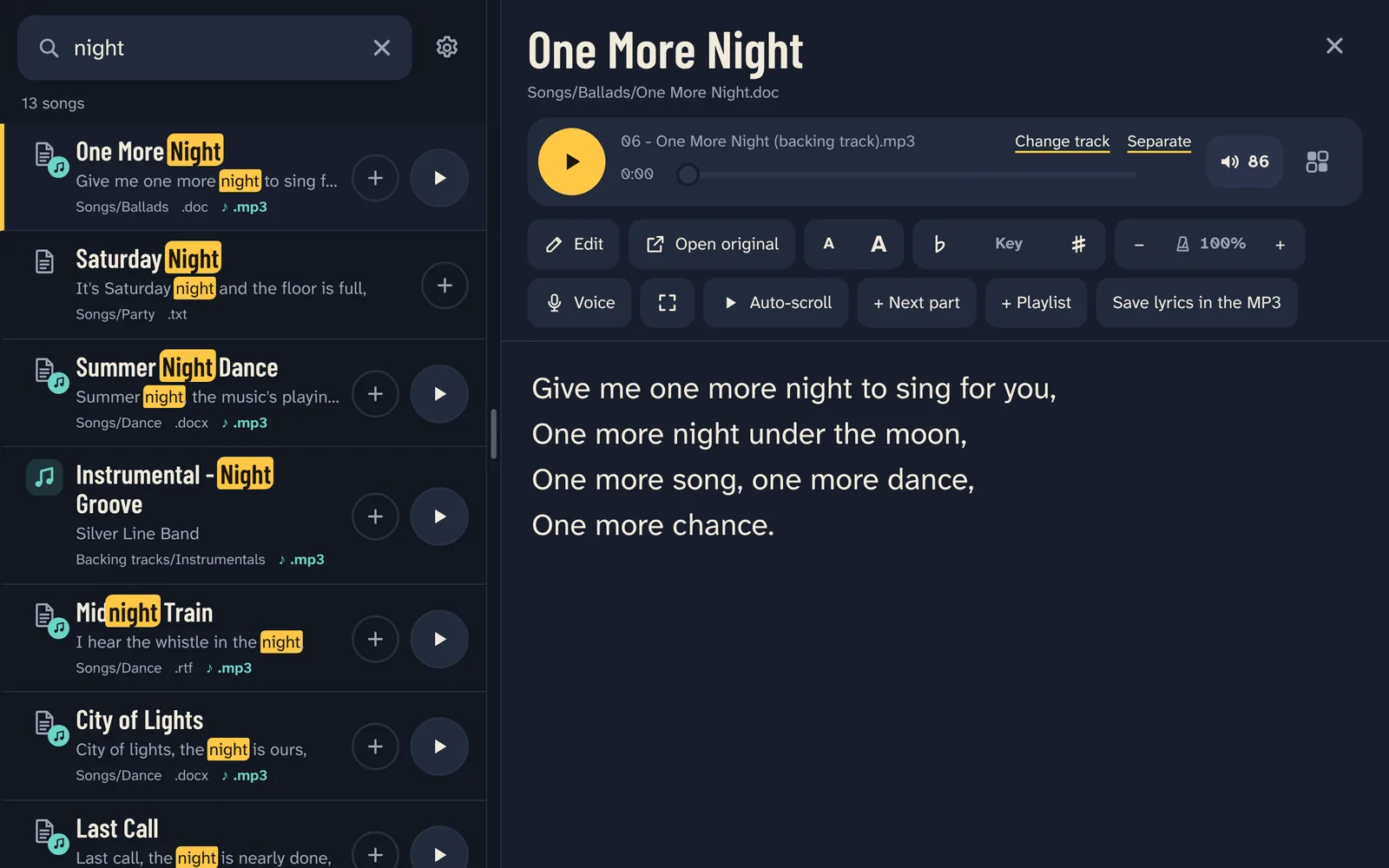
SongPerformance finds any song in seconds among your own files, shows the lyrics as the backing track plays, and takes the voice out of any song with AI, right on your tablet.

Coming soon to Google PlaySee how it works

7 days free with everything, then one payment. No subscription.

Android · iPad and Windows coming soon

I’m a musician. On stage, I kept struggling to find my lyrics and backing tracks. I couldn’t find a solution, so I built one.

Grigore, the musician who made SongPerformance

Everything you need on stage

Your own songs, the way you keep them, ready the moment you need them.

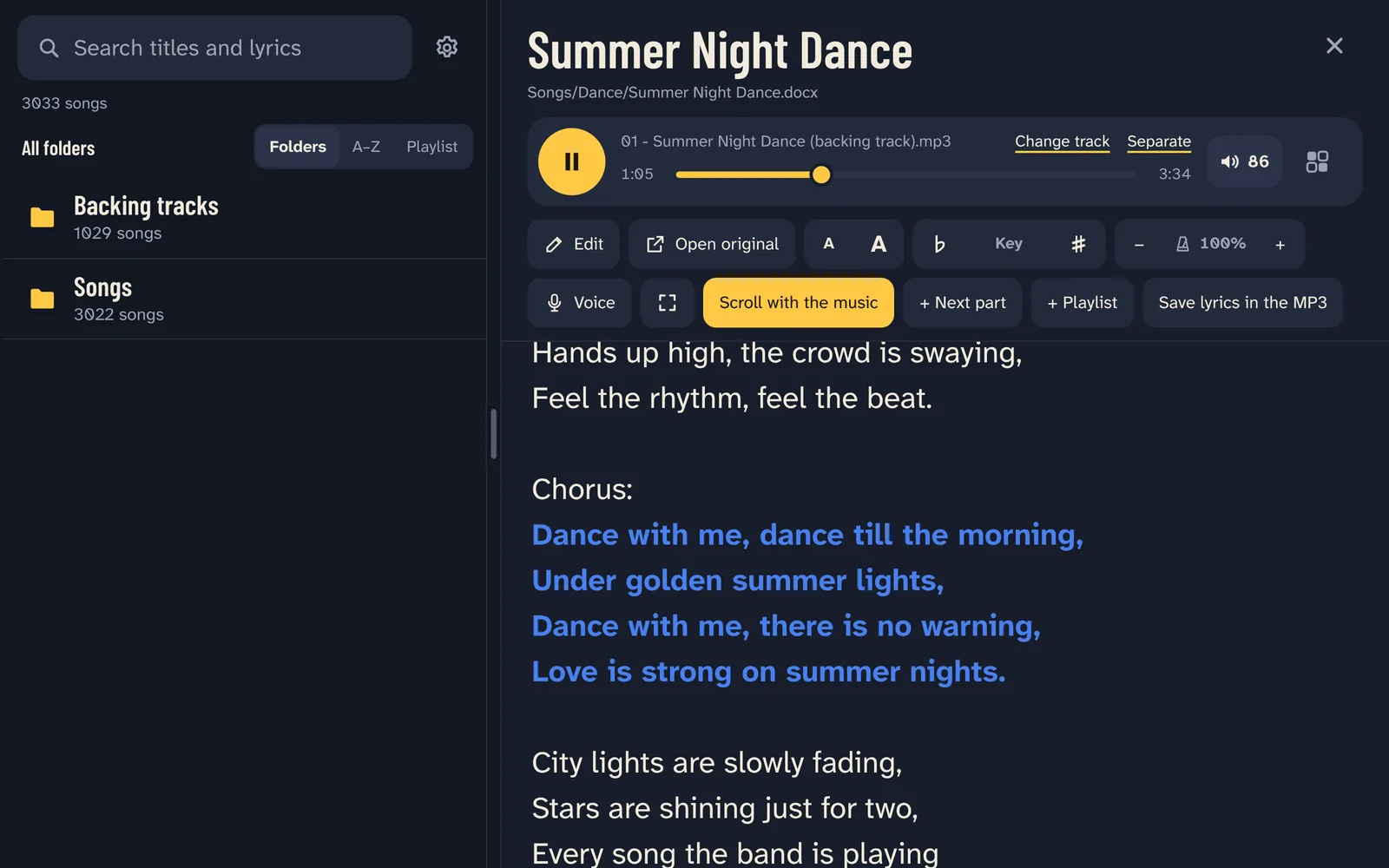
A song playing: the lyrics follow the backing track, the chorus in color.
Scroll with the music

Lyrics and backing track, together

A lyrics file and a track with the same name belong together. Tap play, and the lyrics scroll along with the music. Full screen, bigger letters and page-turn pedals make them easy to read on stage.

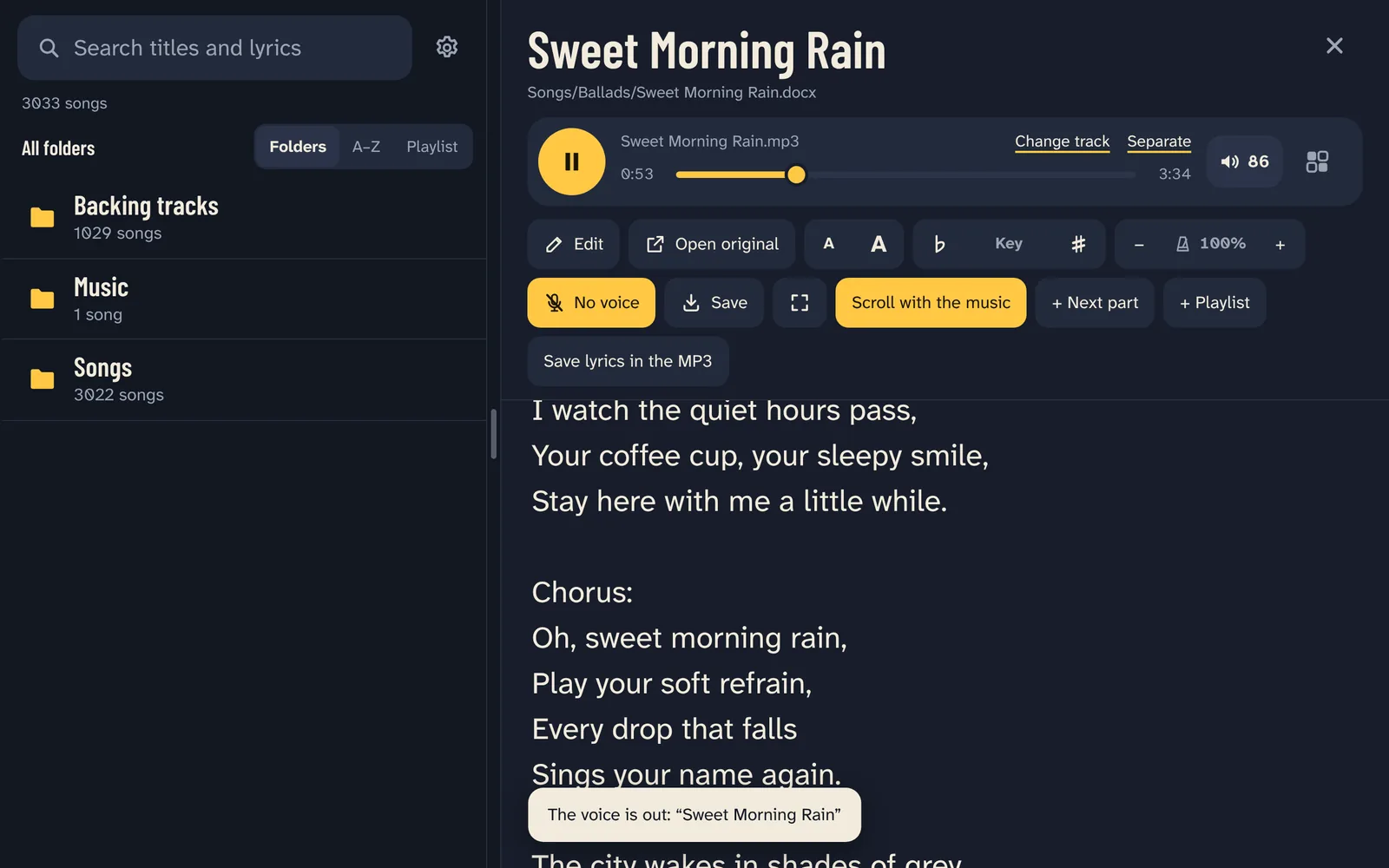
No voice is on: the song plays without its singer, and Save keeps a copy.
No voice

The voice out, with AI

No backing track for a song? Tap Voice, and the AI takes the voice out of it, on your tablet, without internet. It takes a few minutes, once per song. Then the voice goes and comes back with one tap, even while the song plays.

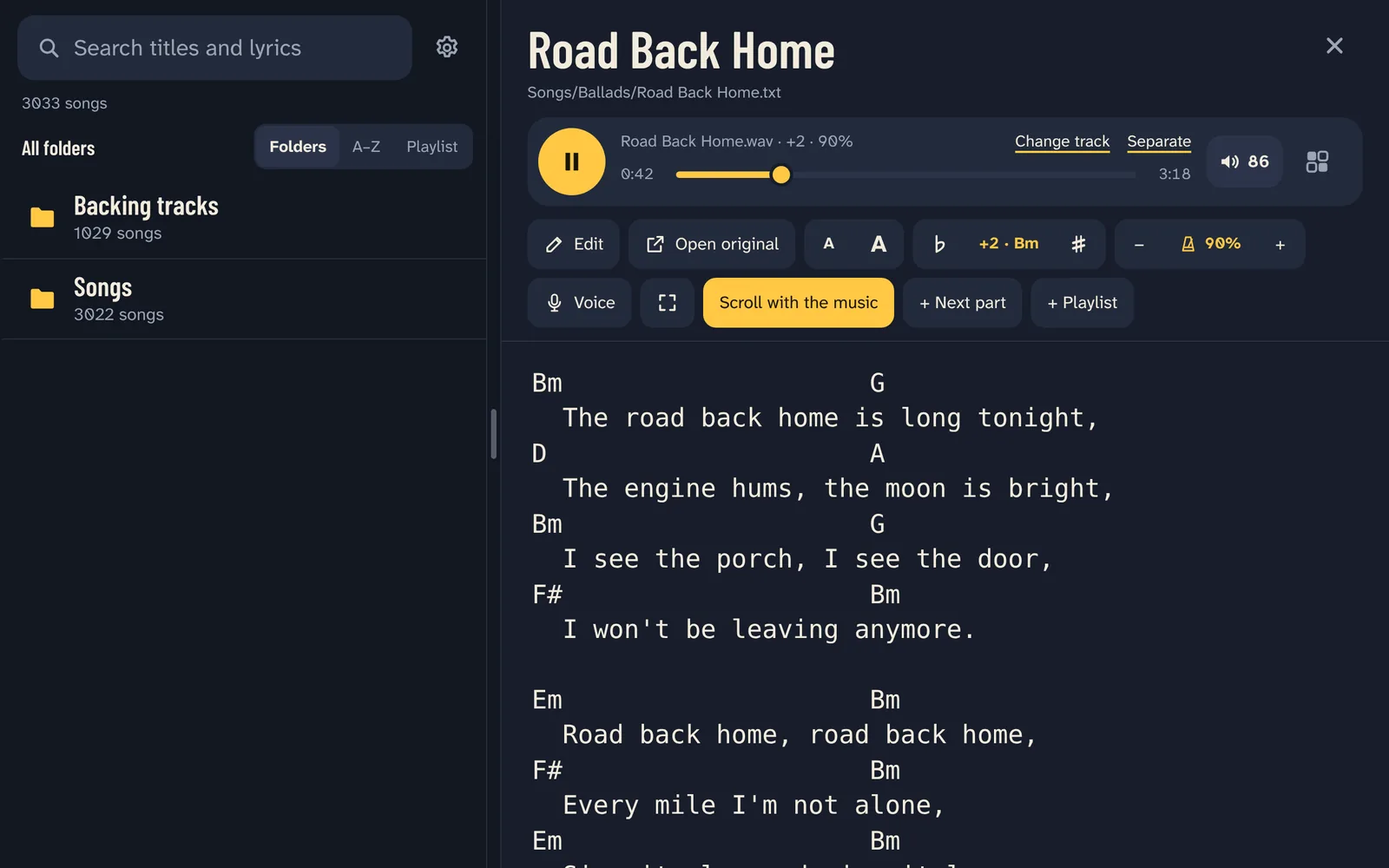
A chord sheet two semitones higher, at 90% speed: the chords are rewritten in the new key.
♭Key♯

Any key, any speed, live

Move the backing track up or down a semitone at a time, and play it slower or faster without changing its key. The change is heard within half a second, while the song plays. The chords in your lyrics move too.

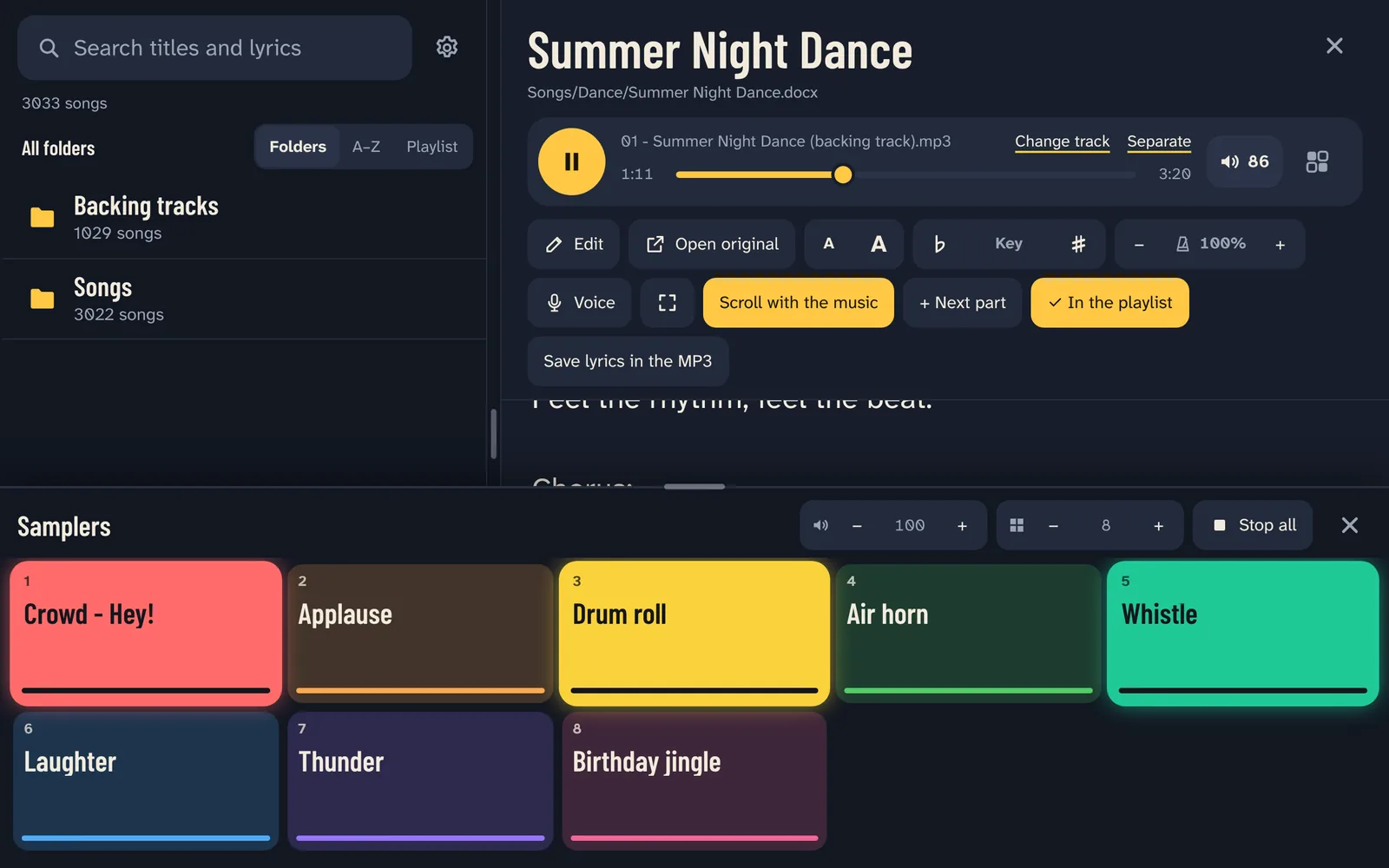
The samplers under the lyrics, three pads playing.
Samplers

Samplers over the music

Put any sound on the pads: cheers, effects, a jingle. They play right over the backing track, several at once, each with its own volume.

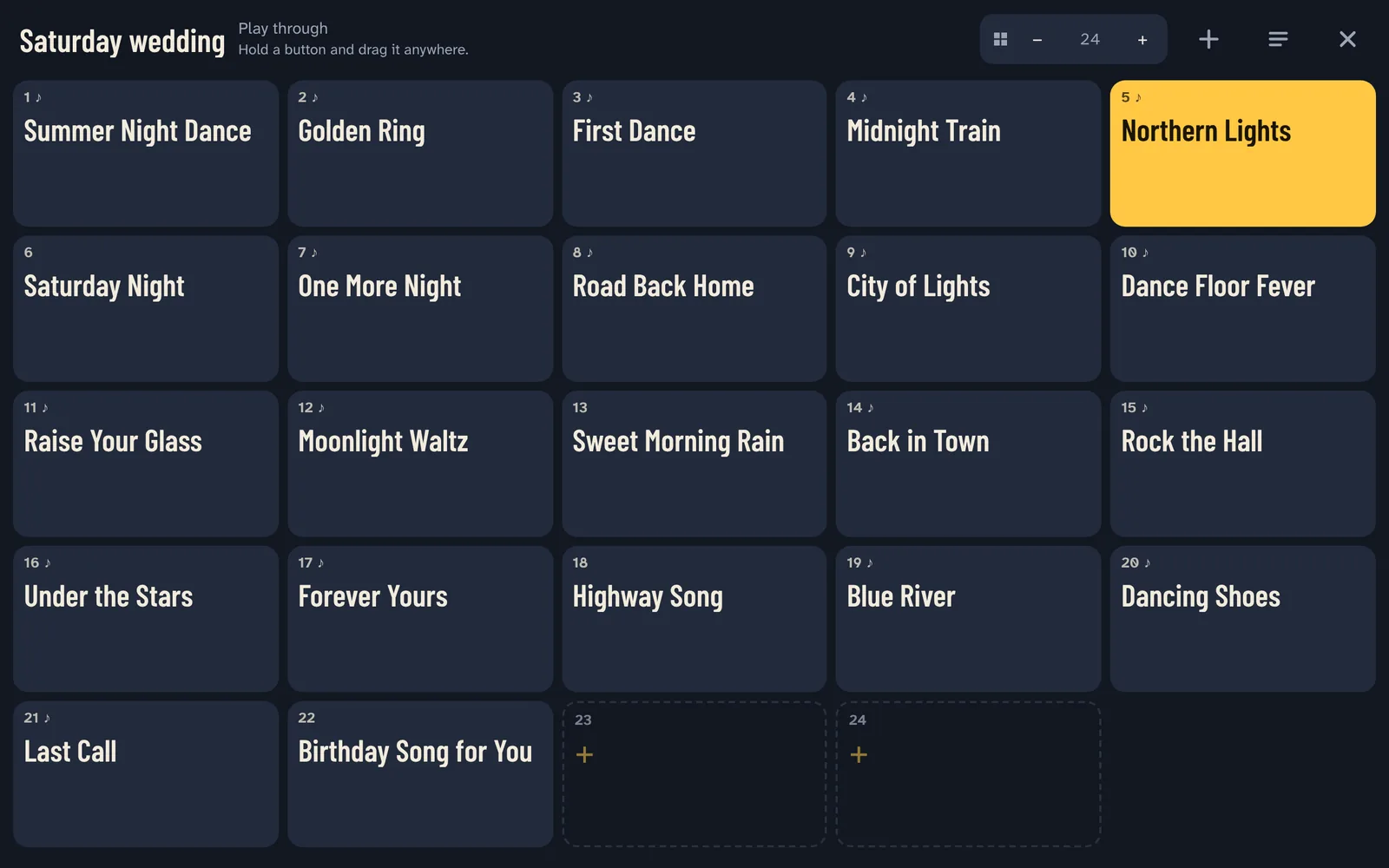
A wedding playlist as big buttons, the song playing in yellow.
Hot buttons

Your whole set on big buttons

Turn a playlist into big buttons: one tap, and the song plays with its lyrics. Hold a button and drag it anywhere. Play through, stop after each song, or repeat.

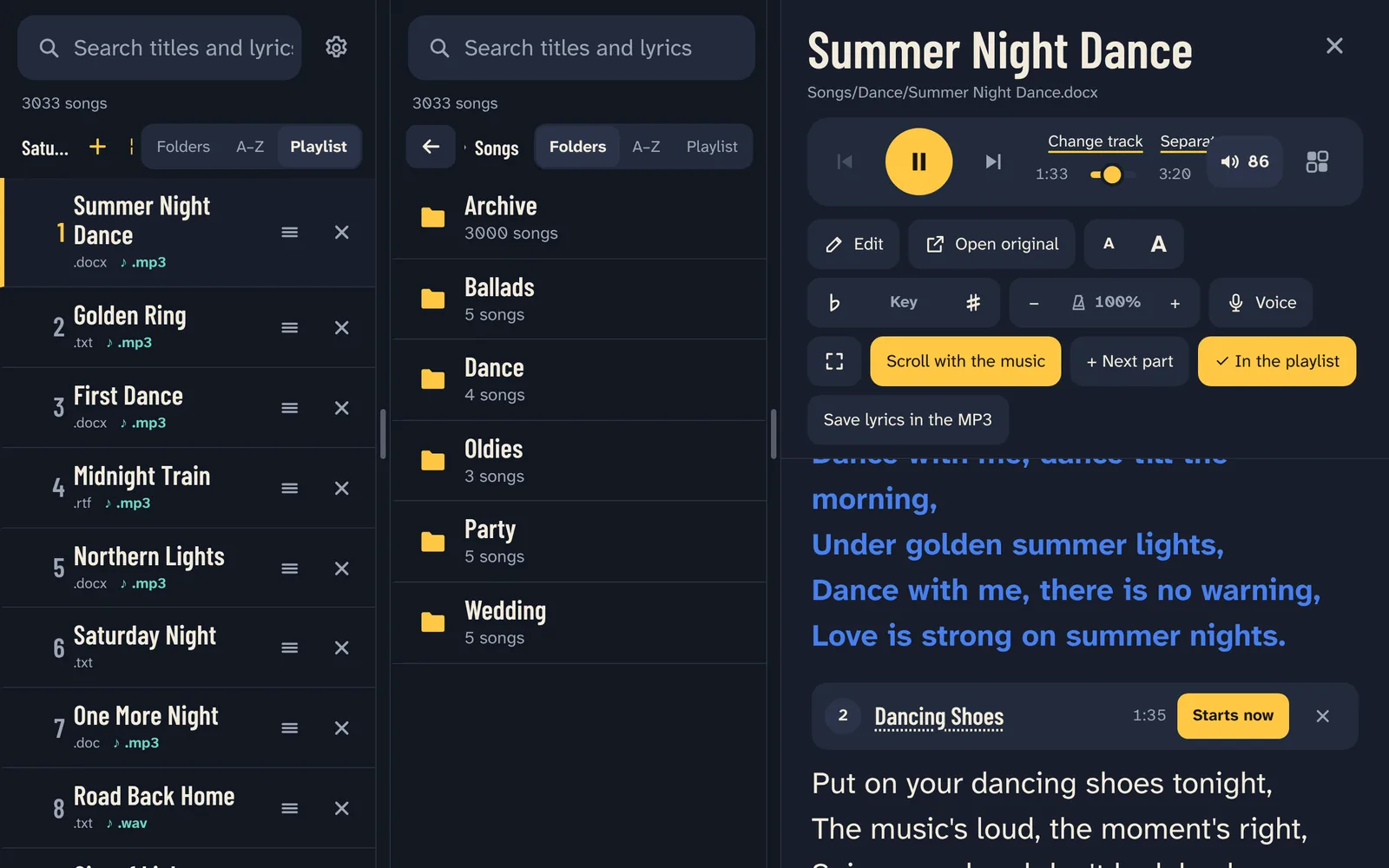
Two lists side by side and a medley: the second part starts at 1:35.
Two windows

Two windows and medleys

Play from one list while you prepare the next in the other. Medleys: several songs in one track, and the lyrics change to each part right on time.

Your own files, on your tablet

SongPerformance reads the files you already have. Nothing is uploaded, there is no account and no ads, and it works without internet.

Lyrics
.docx.doc.pdf.txt.rtf.odt.html
Backing tracks
♪ .mp3♪ .wav♪ .m4a♪ .flac♪ .ogg
Sheet music
.pdf.jpg.png

Try it free for 7 days

Everything is included during the free days. Then choose your version and pay once.

Lite

$19.99

The essentials for every gig:

  • Your songs, found in seconds
  • Lyrics that scroll with the music
  • Backing tracks
  • One playlist
Everything included

Full

$49.99

Everything in Lite, plus:

  • AI voice remover
  • Key and Speed
  • Hot buttons
  • Unlimited playlists
  • Samplers
  • Two windows and medleys
  • Sheet music
  • Lyrics editing

One payment, no subscription. From Lite you can move to Full later and pay only the difference. Prices in US dollars; Google Play shows them in your currency.

Questions

Do I need the internet?

No. SongPerformance works without internet, on stage and anywhere else. You only need it to download the app and to buy it.

Where do my songs come from?

From your own files. Copy your lyrics and backing tracks onto the tablet (subfolders are fine), choose that folder in the app, and SongPerformance finds everything in it. Nothing is uploaded anywhere.

Which files does it read?

Lyrics in Word (.doc, .docx), PDF, text, RTF, ODT and HTML files; backing tracks in MP3, WAV, M4A, FLAC and OGG; sheet music as PDF pages or photos. Lyrics stored inside MP3 files are shown too.

My lyrics and my tracks have different names.

A lyrics file and a track with the same name pair by themselves: track numbers, brackets and words like “backing track” or “karaoke” are ignored. The others you link once by hand, and the pair is remembered.

How long does the AI voice remover take?

A few minutes per song, once; the result is kept. It works on the tablet, without internet, and you can keep playing music meanwhile. It works best on tablets with 4 GB of memory or more.

Can I use a page-turn pedal?

Yes. Pedals and keyboards scroll the lyrics, and at the end of a song the pedal goes to the next song in your playlist.

What happens after the 7 free days?

You choose Lite or Full and pay once. Your songs, playlists and settings stay as they are.

I got a new tablet.

Your purchase belongs to your Google account: install SongPerformance on the new tablet with the same account and it is unlocked. Your playlists and links are kept in your song folders, so they move with them.
Questions or ideas?

Write to us. A musician reads every message.